Table of Contents
- Why Your Google Business Profile Category Matters More Than Most People Think
- Primary Category vs. Secondary Categories: What Is the Difference?
- How to Find the Right Primary Category for Your Business
- Common Category Mistakes That Hurt Map Pack Visibility
- How Category Works Together with the Rest of Your Profile
- What Happens After You Update Your Category
- One Simple Check You Can Do Right Now
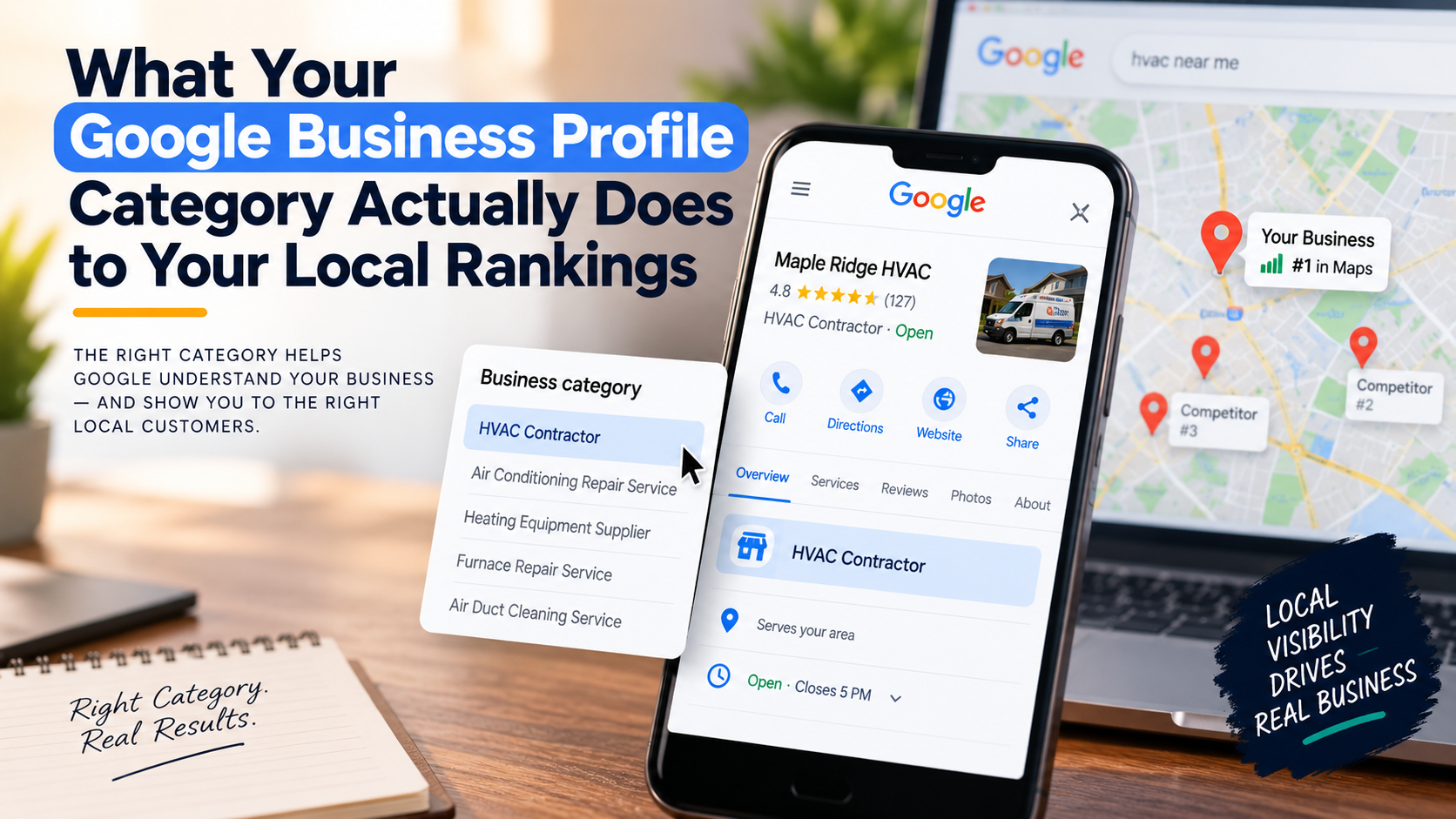
Your Google Business Profile category tells Google what kind of business you are, and Google uses that information to decide which search results you belong in. It is not a tag or a label for customers to browse. It is a ranking signal that works behind the scenes, and choosing the wrong one (or ignoring it entirely) will quietly kill your map pack visibility before you ever realize what happened.
Most small business owners set their category once when they first claim their profile and never think about it again. That single decision shapes every local search you either show up for or get skipped on. This article breaks down exactly how it works, in plain terms, so you can check yours today and fix it if it is wrong.
Why Your Google Business Profile Category Matters More Than Most People Think
Google does not read minds. When someone types “AC repair near me” or “emergency plumber open now,” Google has to quickly sort through thousands of businesses and decide which three to show in the map pack. Your Google Business Profile category is one of the first filters it uses.
Think of it like a library filing system. If your business is shelved under the wrong section, the right readers will never find it, even if your reviews are great and your website is solid. The category is how Google knows which shelf to put you on.
According to industry reporting from Search Engine Land (local SEO coverage), business category is consistently one of the top-weighted factors in local pack rankings. That means it is not a minor detail you optimize after everything else. It is a foundation piece.
Primary Category vs. Secondary Categories: What Is the Difference?
Your GBP lets you choose one primary category and up to nine additional secondary categories. Here is how they work differently:
- Primary category: This is the main signal Google uses to decide what your business fundamentally is. It carries the most weight in local search ranking. If you are an HVAC company, your primary should be something like “HVAC Contractor,” not “Air Conditioning Repair Service” or “Heating Contractor” (though those can go in secondary slots).
- Secondary categories: These expand the range of searches you can appear in. They matter, but they do not carry the same weight as the primary. Use them for real services you offer, not as a wishlist of every search term you want to rank for.
The mistake most business owners make is choosing a primary Google Business Profile category that is too broad, too narrow, or just slightly off from what Google actually uses. Even a small mismatch can push you out of the map pack for the searches that matter most.
How to Find the Right Primary Category for Your Business
Google has hundreds of predefined categories, and you cannot create custom ones. You have to pick from their list. Here is a practical process for finding the right fit:
- Search for your top competitor who ranks well in the map pack. Look up their GBP profile (you can often see the category listed below the business name in search results). What category are they using? This is one of the fastest ways to find out which category Google already associates with map pack results for your service type.
- Search Google for what your customers actually type. If you are a roofer, search “roof replacement near me” and look at who shows up in the map pack. Check their categories. There is a reason those businesses are there.
- Be specific, not broad. “Contractor” is too broad. “Roofing Contractor” is better. “Plumber” is good. “Home Services” is not. The more specific your category matches actual search intent, the better your local search ranking potential.
- Use Google’s own autocomplete in the GBP dashboard. When you type in the category field inside your profile, Google shows you matching options from their approved list. Start typing your service type and see what comes up.
Common Category Mistakes That Hurt Map Pack Visibility
These are the five most common Google Business Profile category errors Broad Lantern Media sees when auditing local business profiles:
- Mistake 1: Using a parent category instead of a specific one. Choosing “Contractor” instead of “Electrical Contractor” dilutes your signal. Google wants specificity.
- Mistake 2: Listing your primary category as a secondary service. A plumber who also does water heater installation should not have “Water Heater Installer” as their primary. Lead with what you mainly are.
- Mistake 3: Stuffing secondary categories with unrelated services. Adding categories for services you rarely offer confuses Google about what your business actually does and can dilute your relevance for your core services.
- Mistake 4: Never updating the category as the business evolves. If you added a new core service line two years ago and your category still does not reflect it, you are leaving map pack visibility on the table.
- Mistake 5: Copying a competitor’s category without checking if it fits your specific service mix. Context matters. A general contractor and a custom home builder might use different categories even if they seem similar.
How Category Works Together with the Rest of Your Profile
Getting your GBP primary category right is important, but it works alongside other signals, not in isolation. Google looks at your category and then cross-references it against things like your business name, website content, reviews, and how consistently your information appears across the web.
If your category says “HVAC Contractor” but your website barely mentions HVAC services, that mismatch weakens your signal. Google wants your profile and your website to tell the same story. That is why web design that converts for local businesses is not just about looking good. It is about making sure your site backs up what your GBP says you do, so Google has consistent signals to work with across both.
Reviews also play into this. When customers leave reviews that mention specific services matching your category, that reinforces your relevance for those terms. You cannot control every review, but you can ask satisfied customers to describe the work they had done when leaving feedback.
For a deeper look at the full range of signals Google weighs in local search, the article on what Google actually looks at when ranking local businesses in the map pack covers the complete picture.
What Happens After You Update Your Category
If you correct your Google Business Profile category today, do not expect instant results. Local search ranking shifts take time. Most businesses see changes in map pack performance over two to six weeks after a category update, though the timeline varies based on how competitive your market is and how many other signals need to catch up.
A few things to watch after making a change:
- Check your GBP Insights to see if impressions (how many times your profile appeared in search) go up or down over the following weeks.
- Search your core service terms locally and see where you appear compared to before.
- Make sure the rest of your profile (description, services, website URL) still aligns with the updated category.
This is also a good time to review whether your business is showing up inconsistently for different searches. If you rank for some terms but disappear for others that seem similar, the issue is often related to category alignment combined with location and relevance signals. The post on why your business shows up in maps for some searches but not others goes into detail on that specific problem.
One Simple Check You Can Do Right Now
Log into your Google Business Profile, go to your profile information, and look at your primary category. Then open a private or incognito browser window and search for the main service you want to rank for, followed by your city name. Look at the three businesses in the map pack. What categories are they using?
If your Google Business Profile category does not match what the ranking businesses are using, that is a gap worth fixing. It takes about two minutes to update, and it is one of the highest-leverage, lowest-cost changes available to a local SEO for small business strategy.
If you want a full picture of where your profile and local presence stand, a free audit can surface issues beyond just category, including citation problems, missing services, and website gaps that are holding your rankings back. Start with a free local SEO audit to see exactly where you stand.
Frequently Asked Questions
How many categories can I add to my Google Business Profile?
You can add one primary category and up to nine secondary categories. Your primary category carries the most ranking weight, so choosing it carefully matters most. Only add secondary categories for services you actually offer.
Can changing my Google Business Profile category hurt my rankings?
It is possible to see a short-term fluctuation after changing your category, especially if you have been in the map pack for searches tied to your old category. But if your current category is wrong, staying with it costs you more over time. A correctly matched category is worth the short adjustment period.
What if the exact category I need does not exist in Google's list?
Google’s category list has hundreds of options but does not cover every niche perfectly. If your exact service type is not available, choose the closest specific category available rather than defaulting to something broad. You can also use your business description and services section to add detail that fills in the gaps.
Does my Google Business Profile category affect my regular (organic) search rankings too?
Your GBP category primarily affects your map pack and local search visibility. It has indirect effects on organic rankings through the signals it sends about your business type, but it is not a direct organic ranking factor the way on-page SEO and backlinks are.
How do I know if a competitor changed their category?
You can check a competitor’s primary category directly in Google search results. When their business appears in the map pack, the category often displays below the business name. You can also click through to their full GBP listing to see it. Checking this a few times a year is a simple competitive research habit worth building.