
Key Takeaways
- Google Business Profile attributes feed directly into the relevance signal Google uses to match your listing to specific searches, so filling them in accurately makes your listing eligible for more search queries.
- For home service businesses like HVAC, plumbing, and roofing, the most impactful attributes to set are same-day service, online estimates, 24/7 availability, and accepted payment types, because these mirror what stressed homeowners actually search for.
- Attributes also affect how many people click your listing in the map pack, since customers use visible labels like 'free estimates' or 'veteran-owned' to choose between similar-looking competitors.
- Google adds new attribute options regularly, so a listing that was fully configured a year ago may now be missing options that competitors are already using. A quarterly check takes under ten minutes.
- Setting attributes inaccurately to appear more competitive backfires quickly through negative reviews, which carry more ranking weight than any attribute label you could add.
Table of Contents
- What Google Business Profile Attributes Actually Are
- How Google Business Profile Attributes Connect to Local Search Rankings
- Which Attributes Matter Most for Home Service Businesses
- How to Actually Set Your Attributes in Google Business Profile
- Attributes Are Not a One-Time Setup
- What to Do If Your Attributes Are Not Moving the Needle
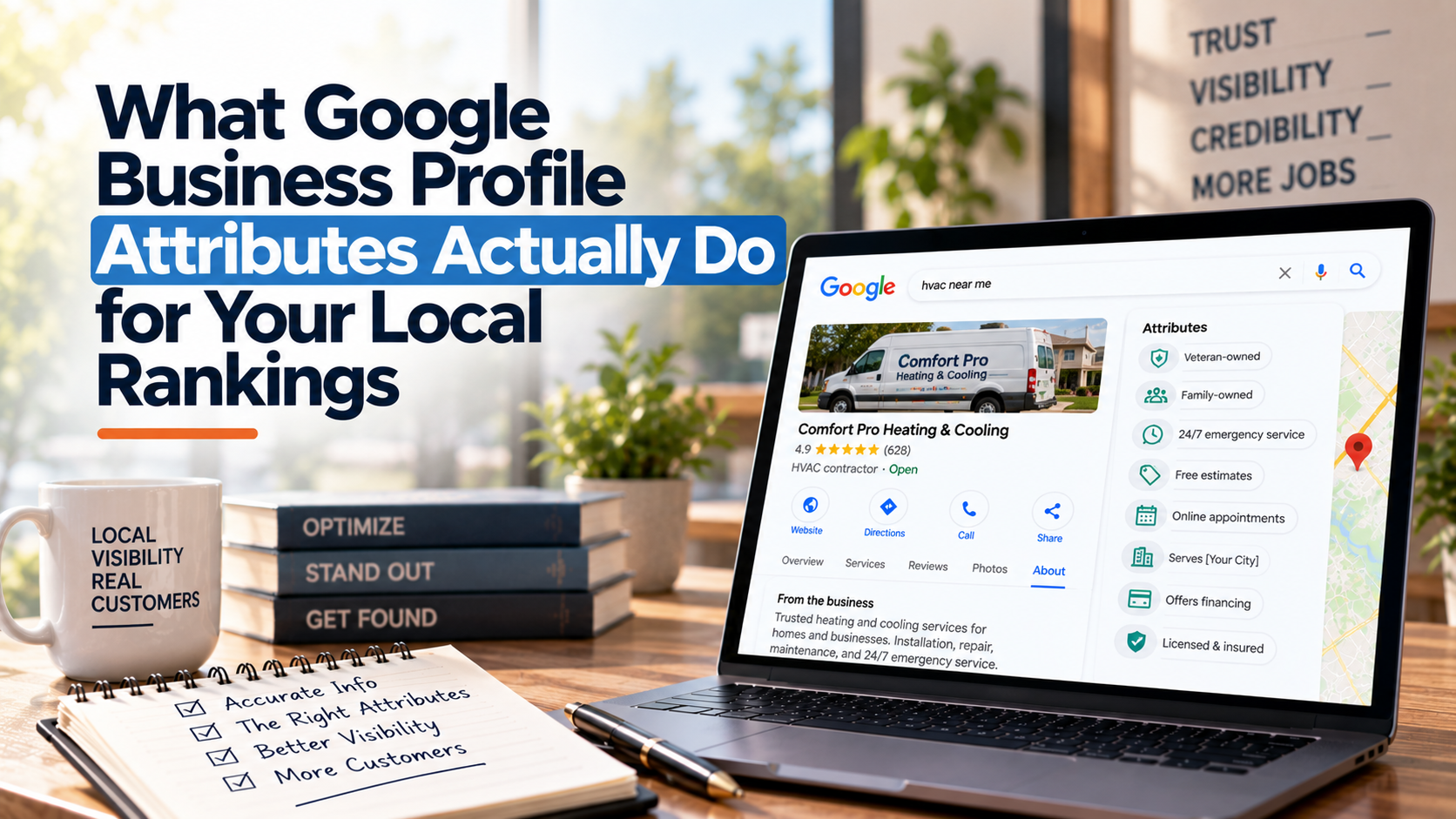
Google Business Profile attributes are short, factual labels you add to your listing to describe what your business offers, how it operates, and who it serves. They are not just cosmetic. Google reads them as signals when deciding which businesses to show for specific searches, and customers use them to decide whether to click at all. If you have not reviewed your attributes lately, you are almost certainly leaving ranking opportunities on the table.
Most business owners set up their Google listing once and never touch it again. That is understandable. Running a business is a full-time job. But attributes are one of the easiest updates you can make, they take under ten minutes, and they directly connect to how Google matches your listing to the searches happening in your area right now.
What Google Business Profile Attributes Actually Are
Attributes are toggleable facts about your business. Some are simple yes/no answers: Does your business have a parking lot? Is it wheelchair accessible? Do you offer online estimates? Others are service-specific or identity-based, like whether you are women-owned, veteran-owned, or LGBTQ-friendly.
Google groups them into two buckets:
- Objective attributes: Things Google can verify or that require a simple true/false answer, like “Has Wi-Fi,” “Outdoor seating,” or “Accepts credit cards.”
- Subjective attributes: Things customers apply through reviews and Google feedback, like “Great value” or “Friendly staff.” You cannot add these yourself. They accumulate from real customer signals over time.
You can only edit the objective attributes. But knowing that subjective ones exist matters because they reinforce your ranking when your reviews mention the same qualities repeatedly.
How Google Business Profile Attributes Connect to Local Search Rankings
Google’s local ranking algorithm weighs three main factors: relevance, distance, and prominence. Google Business Profile attributes feed directly into the relevance side of that equation. When someone searches “HVAC company near me that offers free estimates,” Google is not just scanning your service list. It is checking whether your profile explicitly says you offer free estimates as an attribute. If a competitor has that attribute set and you do not, they are signaling relevance more clearly than you are, even if you actually offer the same thing.
Think of attributes as a shorthand checklist Google uses to match your listing to a specific type of search query. The more accurately your attributes describe what you do, the more searches you are eligible to show up in. That matters most in competitive local markets where several businesses offer nearly identical services.
Google Business Profile attributes also affect your click-through rate, which matters for a different reason. When someone sees your listing in the map pack and notices it says “Free estimates” or “Veteran-owned” right beneath your name, they are more likely to click yours over a plain-looking competitor listing. More clicks over time send engagement signals back to Google, which can reinforce your ranking position. This is not a dramatic overnight shift, but it is a real, compounding effect.
Which Attributes Matter Most for Home Service Businesses
If you run an HVAC, plumbing, roofing, or electrical business, the following attributes deserve your attention first. These are the ones that map most directly to what local customers are actually searching for in those trades.
Service-Related Attributes
- Online estimates: A high-intent searcher comparing three contractors will notice this immediately. Set it to true if you offer it in any form, including a contact form estimate request.
- Same-day service: For emergency plumbing and HVAC calls especially, this attribute signals availability to Google and to the panicked homeowner who needs help now.
- 24/7 availability: If you run after-hours emergency calls, say so explicitly. Google can surface this in late-night or weekend searches when fewer competitors are visible.
Accessibility and Operational Attributes
- Wheelchair accessible entrance and parking: Even for service businesses where customers rarely come to your location, these attributes show up publicly and signal professionalism. Google also uses them for certain filtered searches.
- Identifies as veteran-owned or women-owned: These are increasingly used as trust filters by certain segments of customers. If they apply to your business, use them. There is no downside.
Payment and Amenity Attributes
- Accepts credit cards, debit cards, and financing: Payment-related attributes reduce friction. A homeowner comparing two roofing companies may choose the one whose listing clearly shows financing available, especially for large jobs.
If you work in HVAC marketing for the Pocono region, attributes around service availability and financing are especially important. The Pocono market includes a large portion of vacation property owners who are making decisions remotely and need to feel confident before they even pick up the phone.
How to Actually Set Your Attributes in Google Business Profile
Log into your Google Business Profile dashboard at business.google.com. From there, go to “Edit profile” and look for the “More” tab or the “Attributes” section depending on your interface version. The available attributes you see will be specific to your business category, which is one reason your primary category selection matters so much. A roofing contractor will see different attribute options than a restaurant.
If you are not sure which attributes your category unlocks, the Google Business Profile Help Center has a full breakdown by business type, and it stays updated when Google adds new attribute options.
One thing to be honest about here: do not toggle attributes that do not actually apply to your business. If you mark “24/7” and then do not answer an 11 p.m. call, that leads to a bad review and erases whatever ranking benefit you got. Accuracy beats optimization every time in local SEO.
Attributes Are Not a One-Time Setup
Google adds new Google Business Profile attributes regularly, especially after major changes in how people search. Contactless payment options appeared during the pandemic. Energy-efficient certification attributes appeared more recently. If you set your attributes once two years ago and have not looked since, there are almost certainly new ones available that apply to your business and that your competitors may already be using.
A reasonable routine is to check your attributes once per quarter alongside your review responses and photo updates. It takes less than ten minutes and keeps your listing competitive without requiring any technical knowledge.
Map pack optimization is not just about backlinks and citations. The details inside your profile, including attributes, photos, and service descriptions, are things you control directly and that make a measurable difference in both ranking and click behavior. Most businesses underuse them because they are easy to overlook, which means using them well is a low-effort way to pull ahead of competitors who are not paying attention.
What to Do If Your Attributes Are Not Moving the Needle
Attributes are one piece of local search ranking, not the whole picture. If you have your attributes set correctly and you are still not showing up well in the map pack, the issue is usually one of a few things: your primary category is wrong, your name/address/phone information is inconsistent across the web, your reviews are too thin, or your website is not backing up what your Google profile claims.
These are all fixable, and they tend to compound each other. A business with solid attributes, accurate listings, and a steady flow of genuine reviews will almost always outrank a business that has only worked on one of those three areas. Local SEO for small businesses works best when the different signals are consistent and mutually reinforcing, not patched together one at a time with long gaps between.
If you want a clear picture of where your listing stands across all these factors, not just attributes, a structured audit will show you what is actually holding your ranking back versus what just feels like it should matter.
Do Google Business Profile attributes directly affect my map pack ranking?
Yes, attributes contribute to the relevance signal Google uses when matching your listing to specific searches. If a searcher adds details like ‘free estimates’ or ‘veteran-owned’ to their query, businesses with those attributes set are more likely to appear. The effect is real but not dramatic on its own; attributes work best alongside accurate business information, strong reviews, and a well-optimized website.
How do I find out which attributes are available for my business category?
Log into your Google Business Profile at business.google.com, click ‘Edit profile,’ and look for the Attributes section. The options you see are specific to the primary category you have selected for your business. If you change your category, the available attributes will change too. The Google Business Profile Help Center also lists attribute options by category.
Can I add any attribute I want, even if it is not in my category?
No. Google controls which attributes appear based on your business category. You can only choose from the attributes Google makes available for your specific category. If an attribute you want is not showing up, it may mean your primary category needs to be adjusted, or that attribute is not available for your business type at all.
What happens if I set attributes that are not actually true about my business?
You will likely get negative reviews from customers who expected something you did not deliver. That kind of review damage hurts your local ranking far more than any benefit from a misleading attribute. Google also collects user feedback on attributes and can adjust them based on what customers report. Set only what is genuinely true.
How often should I review and update my Google Business Profile attributes?
Once per quarter is a reasonable schedule. Google adds new attribute options regularly, especially after shifts in how people search. Checking quarterly means you will catch new options quickly without it becoming a time sink. Build it into the same session where you respond to reviews and add fresh photos.